Automate flux analysis, from variance detection to explanation
Agent-prepared variance analysis, grounded in live GL and supporting data with transaction-level detail behind every explanation.

Request demo

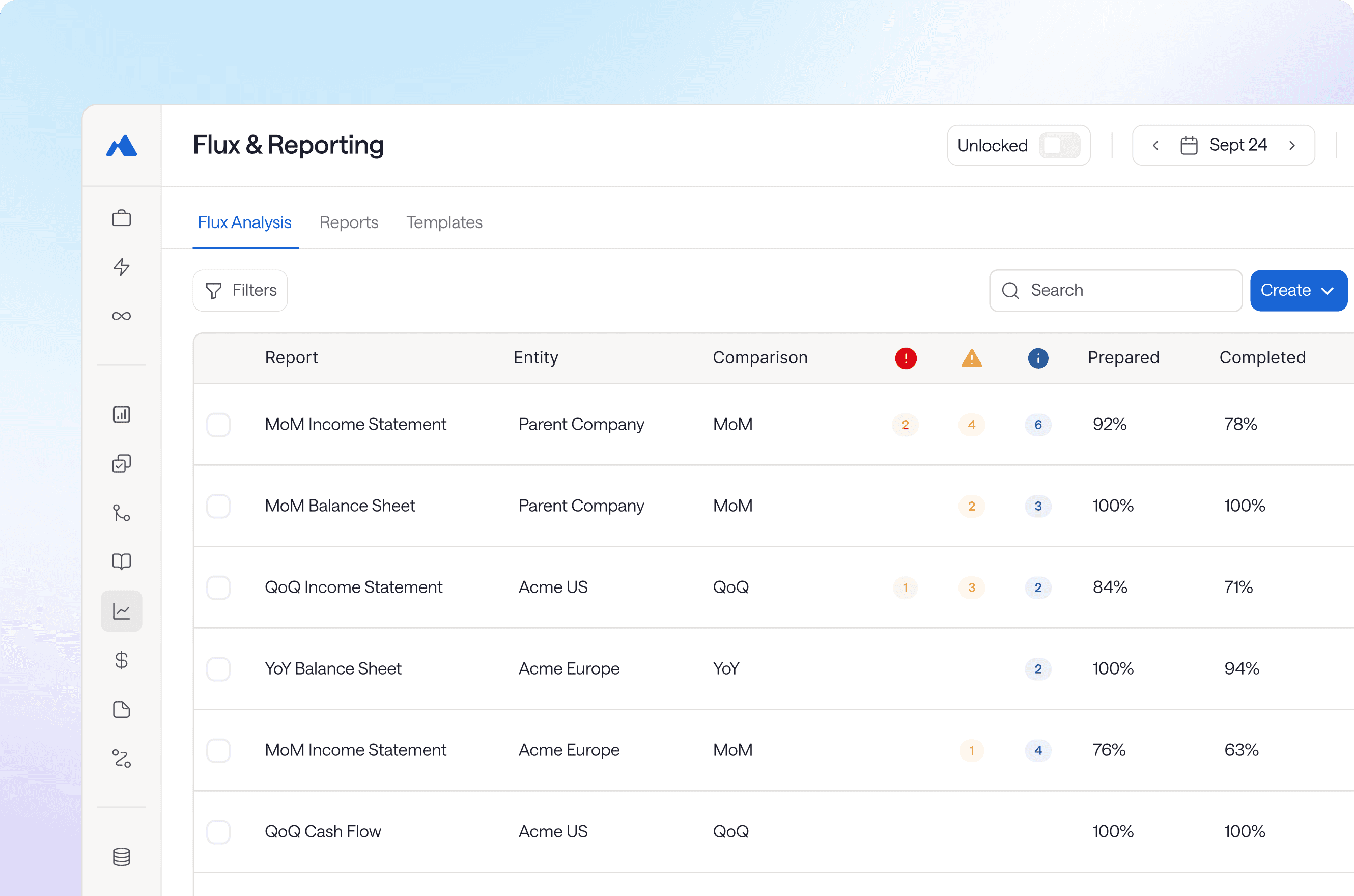


Live financial data
Work from current balances and transactions without repeatedly pulling GL reports.
Trend analysis
Compare MoM, QoQ, and YoY movements with context behind the variance.
Anomaly detection
Surface unusual activity and large contributing transactions that warrant investigation.
Business context
Bring GL and non-GL data together to understand the why behind the numbers.
Preparer-reviewer controls
Assign preparers and reviewers and maintain clear ownership through sign-off.
Documented review
Keep comments, review notes, changes, and approvals alongside the analysis.
Immutable audit trails
Retain explanations, supporting evidence, edits, and approvals with the period.


Our flux reporting is now push-button. I no longer spend 30 to 60 minutes every day rebuilding the report.”
Financial Controller, Roofstock
Jason Lai

What is flux analysis software?
Flux analysis software compares financial results across periods to identify and explain material changes in account balances. It moves variance analysis from spreadsheets to a system that flags changes, surfaces the underlying transactions, and documents explanations with evidence attached.
How does flux analysis software speed up month-end close?
Flux analysis software flags material variances and surfaces the underlying transactions, eliminating the manual pivot tables and data pulls that consume close week. Teams complete variance analysis in hours instead of days, not by cutting corners, but by having the work prepared with evidence already attached.
How does flux analysis software support audit readiness?
Flux analysis software maintains variance explanations tied directly to supporting transactions, with lineage preserved. When auditors request documentation for period-over-period changes, the evidence already exists.
What types of flux analysis does Maxima support?
Maxima supports flux analysis across the income statement and balance sheet, at both consolidated and individual subsidiary levels, including local statutory and US GAAP reporting.
Does flux analysis software integrate with my ERP?
Yes. Flux analysis software connects natively to ERPs like NetSuite and Sage Intacct, pulling data directly without CSV exports or manual formatting. This keeps your analysis tied to current balances and eliminates the version control problems that come with spreadsheet workflows.
What dimensions can I analyze variances across?
Maxima lets teams analyze movements across subsidiary, department, class, customer, vendor, and custom accounting dimensions, so you can investigate variances at the level relevant to each reporting process.
What comparative periods can I analyze?
Maxima supports MoM, QoQ, YoY, MTD, QTD, YTD, rolling 13-month analysis, and multi-year comparisons.
Can we build custom flux reports?
Yes. Maxima’s Flux Report Builder lets teams create reports from scratch or configure them around existing financial statement line-item structures. You can define data filters, comparison periods, materiality thresholds, and custom instructions for Max.
Can we reuse reports across entities and reporting periods?
Yes. Reports can be copied and adapted across subsidiaries, entities, and reporting periods without rebuilding each analysis manually. For example, you can replicate an existing report for another subsidiary or turn a MoM analysis into a QoQ analysis.
Can Max perform variance analysis on custom reports?
Yes. Maxima can perform variance analysis against custom reports created in the platform, including financial statement line-item and auditor reports. Max analyzes the underlying activity and prepares variance explanations tied to the structure of that report.
How does anomaly detection work in Maxima?
Maxima categorizes anomalies by severity so teams can distinguish activity worth knowing about from items requiring action. Informational checks can support pre-audit review, warnings can surface issues such as potential duplicate or unusually large transactions, and action-required items can highlight activity that may require attention before the GL is finalized.
Your team shouldn’t have to investigate every variance from scratch
Request demo